






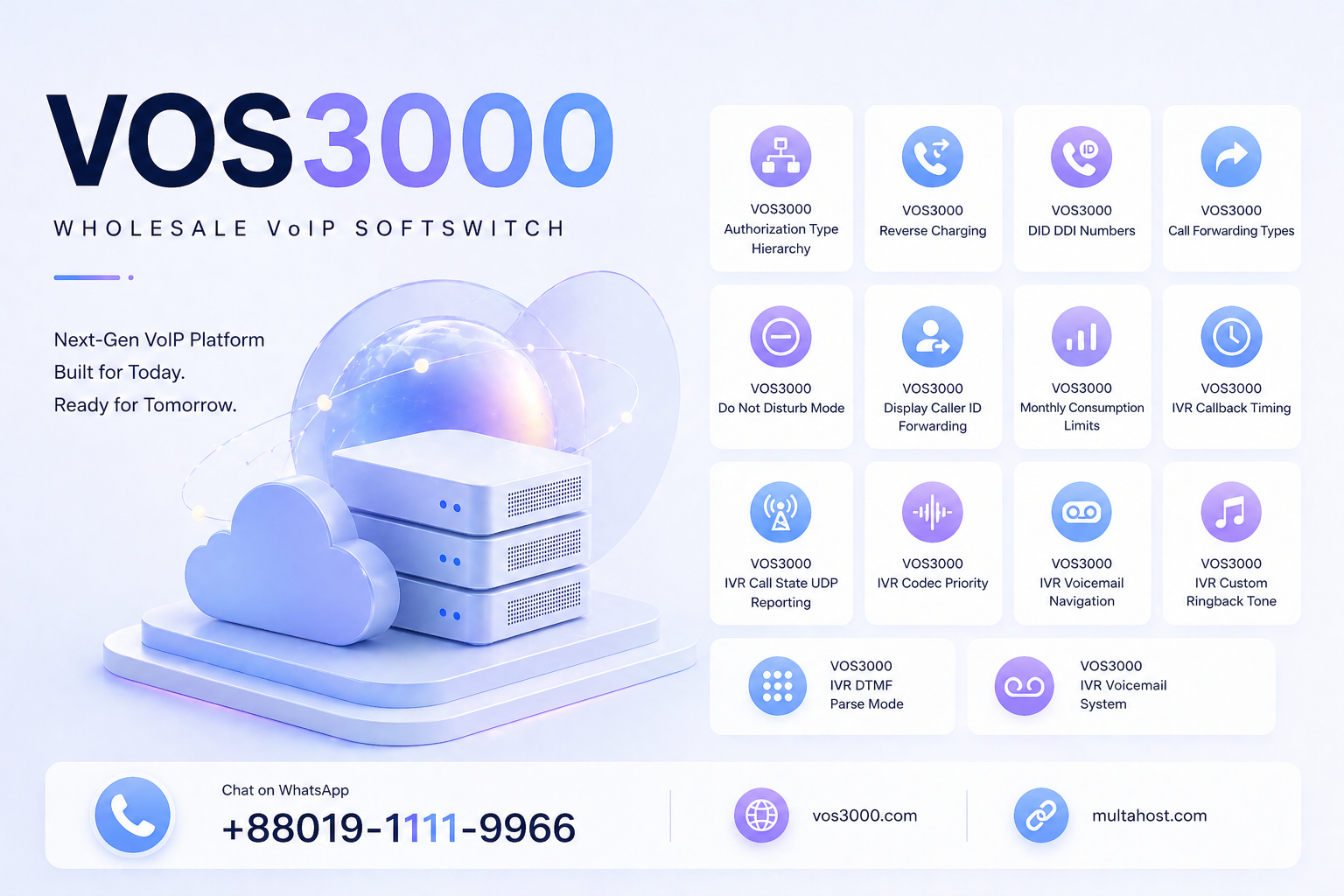
VOS3000 Call Forwarding Five Types: Comprehensive Unconditional NoReply Busy Period Offline
📞 What happens to incoming calls when your VOS3000 phone extension is busy, offline, or simply not answering? How can you ensure that important calls never go unanswered, even during off-hours or when the phone is unregistered? The answer lies in the five VOS3000 call forwarding types — each designed to handle a specific call scenario with precise routing logic. 🎯
📋 According to the official VOS3000 V2.1.9.07 Manual, Section 2.5.2 (Supplementary Service), VOS3000 provides five distinct call forwarding types: Unconditional (forward all calls), No Reply (forward when not answered), Busy (forward when phone is busy), Period (forward during specified time periods), and Offline (forward when phone is not online). Each type can be individually enabled and configured with a specific forwarding destination number per phone extension. 🔄
🔧 All data in this guide is sourced exclusively from the official VOS3000 V2.1.9.07 Manual, Section 2.5.2 — no fabricated values, no guesswork. For expert assistance with your VOS3000 deployment, contact us on WhatsApp at +8801911119966. 💡
Table of Contents
🔐 What Are the VOS3000 Call Forwarding Types?
⏱️ The VOS3000 call forwarding types are five supplementary service features that redirect incoming calls to a specified destination number based on different trigger conditions. Each forwarding type operates independently and can be enabled or disabled per phone. 📋
📌 According to the official VOS3000 V2.1.9.07 Manual, Section 2.5.2 (Supplementary Service):
| Forwarding Type | Manual Description | Trigger Condition |
|---|---|---|
| 🔄 Unconditional | Forward all calls to specified number | Always — all incoming calls are forwarded immediately |
| ⏱️ No Reply | Forward calls to specified number when the call is not answered or the phone is out of connection | Phone does not answer within timeout period |
| 📞 Busy | Forward incoming calls when the phone is busy | Phone is already on a call or has reached line limit |
| 🕐 Period | Forward calls in specified time period | Current time falls within the configured time window |
| 📡 Offline | Forward calls when phone is not online | Phone is unregistered or disconnected from the softswitch |
💡 Key insight: Each forwarding type has a specific trigger condition. The VOS3000 manual provides precise descriptions for each: Unconditional forwards “all calls,” No Reply triggers when “the call is not answered or the phone is out of connection,” Busy activates “when the phone is busy,” Period works “in specified time period,” and Offline engages “when phone is not online.” These are distinct conditions — a phone can have multiple forwarding types enabled simultaneously, each with its own destination number. 🔒
🎯 Why VOS3000 Call Forwarding Types Matter
⚠️ Without properly configured call forwarding, several critical business scenarios result in missed calls and lost revenue:
- 📞 Missed business opportunities: Calls to a busy or unanswered phone go nowhere — potential customers hang up and call a competitor
- 🏢 After-hours coverage: Without Period forwarding, calls received outside business hours ring endlessly with no response
- 📡 Unregistered phone scenarios: When a phone loses registration (power outage, network issue), without Offline forwarding, callers receive no answer or a generic error
- 📊 Customer satisfaction: Forwarding to a colleague, assistant, or voicemail ensures callers always reach a live person or can leave a message
- 🔄 Business continuity: Unconditional forwarding enables seamless call redirection when an employee is on leave or working remotely from a different number
⚙️ VOS3000 Call Forwarding Type 1 — Unconditional
🔄 Call forwarding unconditional is the most straightforward forwarding type. According to the VOS3000 manual, it “forward all calls to specified number.” When enabled, every incoming call to the phone is immediately redirected to the configured destination number — the phone never rings. This is the highest-priority forwarding type because it applies to all calls regardless of the phone’s state. 📡
| Attribute | Value |
|---|---|
| 📌 Type | Call forwarding unconditional |
| 📝 Manual Description | Forward all calls to specified number |
| 🎯 Trigger | All incoming calls — unconditional, no condition check |
| 📍 Location | Phone Management → Supplementary service |
💡 Use cases: Employee on extended leave, temporary reassignment, or when a number should always route to a receptionist or department line. For help with unconditional forwarding setup, reach us on WhatsApp at +8801911119966. 📱
⚙️ VOS3000 Call Forwarding Type 2 — No Reply
⏱️ Call forwarding no reply activates when the phone does not answer within a specified timeout period. According to the VOS3000 manual, it “forward calls to specified number when the call is not answered or the phone is out of connection.” The manual’s inclusion of “out of connection” means this type also covers scenarios where the phone is registered but unreachable due to network issues. 📋
| Attribute | Value |
|---|---|
| 📌 Type | Call forwarding no reply |
| 📝 Manual Description | Forward calls to specified number when the call is not answered or the phone is out of connection |
| 🎯 Trigger | No answer within ringing timeout, or phone out of connection |
| ⏱️ Timeout Parameter | IVR_RINGING_TIMEOUT (default: 120 seconds) — “Time for IVR Hang Up, When No Reply(seconds)” |
💡 Key detail: The no-reply timeout is governed by the system parameter IVR_RINGING_TIMEOUT (default: 120 seconds, per §4.3.5.3). When a call rings for this duration without answer, the call is forwarded to the specified number. For more on IVR timing parameters, see our VOS3000 IVR callback timing guide. 📖
⚙️ VOS3000 Call Forwarding Type 3 — Busy
📞 Call forwarding on busy activates when the phone is already engaged on another call. According to the VOS3000 manual, it “forward incoming calls when the phone is busy.” This includes scenarios where all of the phone’s available lines are occupied — either the phone is on a single active call (and has a line limit of 1), or the phone has reached its configured line limit with multiple simultaneous calls. 📡
| Attribute | Value |
|---|---|
| 📌 Type | Call forwarding on busy |
| 📝 Manual Description | Forward incoming calls when the phone is busy |
| 🎯 Trigger | Phone is on an active call or has reached line limit |
| 📋 Related Setting | Line limit — maximum number of channels for this phone, limits maximum sum of incoming and outgoing calls |
💡 Important note: The “busy” condition in VOS3000 is determined by the phone’s line limit setting. The manual states that line limit is “the maximum number of channels for this phone, which limits the maximum sum of incoming and outgoing calls processed simultaneously.” When all lines are occupied, the phone is considered “busy” and the busy forwarding rule applies. For more on phone limits, see our VOS3000 account billing guide. 📖
⚙️ VOS3000 Call Forwarding Type 4 — Period
🕐 Call forwarding on period is a time-based forwarding rule. According to the VOS3000 manual, it “forward calls in specified time period.” This allows calls to be automatically redirected during designated time windows — for example, after business hours, during lunch breaks, or on weekends. Unlike the other forwarding types that respond to the phone’s state, Period forwarding is purely time-driven. 📋
| Attribute | Value |
|---|---|
| 📌 Type | Call forwarding on period |
| 📝 Manual Description | Forward calls in specified time period |
| 🎯 Trigger | Current time falls within the configured time window |
| 🕐 Configuration | Specify start time, end time, and optionally days of week for forwarding activation |
💡 Common period configurations: Forward to after-hours support line from 6:00 PM to 8:00 AM; forward to backup team during lunch (12:00–1:00 PM); forward to weekend duty number on Saturday and Sunday. Period forwarding is particularly useful for businesses that have different staffing levels at different times. 🕐
⚙️ VOS3000 Call Forwarding Type 5 — Offline
📡 Offline forward is specifically designed for scenarios where the phone is not registered with the softswitch. According to the VOS3000 manual, it “forward calls when phone is not online.” This covers situations where the phone device is powered off, has lost network connectivity, or has been deregistered from the VOS3000 softswitch for any reason. 🛡️
| Attribute | Value |
|---|---|
| 📌 Type | Offline forward |
| 📝 Manual Description | Forward calls when phone is not online |
| 🎯 Trigger | Phone is unregistered / not online with the softswitch |
| ⚠️ Distinction from No Reply | Offline = phone not registered at all; No Reply = phone registered but not answering |
💡 Critical distinction: Offline forwarding is different from No Reply forwarding. No Reply covers phones that ARE registered but do not pick up the call (including “out of connection” scenarios where the phone is registered but unreachable). Offline forwarding covers phones that are NOT registered with the softswitch at all — the SIP registration has expired or was never established. For help distinguishing these scenarios, reach us on WhatsApp at +8801911119966. 📱
📊 VOS3000 Call Forwarding Priority and Interaction Rules
🔄 When multiple VOS3000 call forwarding types are enabled on the same phone, they interact based on priority. Understanding these priority rules is essential for correct call routing behavior: 💡
| Priority | Forwarding Type | Behavior |
|---|---|---|
| 🥇 Highest | Unconditional | If enabled, ALL calls are forwarded immediately — no other forwarding type is evaluated |
| 🥈 High | Period | If within the time period and enabled, calls are forwarded during the specified time window |
| 🥉 Medium | Offline | If phone is not registered, calls are forwarded to the offline destination |
| 4th | Busy | If phone is on a call or at line limit, incoming calls are forwarded |
| 5th | No Reply | If phone rings but is not answered within timeout, call is forwarded |
📍 Practical example: If Unconditional forwarding is enabled on a phone, it takes absolute priority — no other forwarding type will ever be triggered because all calls are immediately redirected. This means you should NOT enable Unconditional forwarding if you also want Busy or No Reply forwarding to work. Similarly, Period forwarding overrides other conditions during its active time window. Design your forwarding strategy carefully to avoid unintended call routing. For more on call routing logic, see our VOS3000 billing system guide. 📖
🛡️ Common Call Forwarding Problems and Solutions
❌ Problem 1: Call Forwarding Not Working Despite Being Enabled
🔍 Symptom: A forwarding type is enabled on the phone with a destination number, but incoming calls are not being forwarded — they continue to ring the original phone or go to a busy signal.
💡 Cause: The forwarding type may be enabled but not activated. In VOS3000, some supplementary services require both “enable” and “activate” steps. Additionally, a higher-priority forwarding type (like Unconditional) may be intercepting the call before the intended forwarding type can trigger.
✅ Solutions:
- 📋 Verify the forwarding type is both enabled AND activated in the phone’s supplementary service settings
- 🔍 Check if Unconditional or Period forwarding is also enabled — these take higher priority and may prevent other types from triggering
- 📞 Ensure the forwarding destination number is a valid, reachable number in the VOS3000 system
❌ Problem 2: Calls Forwarded to Wrong Number
🔍 Symptom: Incoming calls are being forwarded, but to an incorrect destination number.
💡 Cause: The forwarding destination number was entered incorrectly, or the wrong forwarding type was enabled (e.g., Period forwarding with a different destination than intended).
✅ Solutions:
- 📋 Double-check the forwarding destination number for each enabled forwarding type
- 🔍 Verify which forwarding type is actually triggering by checking the CDR records
- 🔐 Remember that each forwarding type has its own independent destination number — ensure all are correctly configured
❌ Problem 3: Double Billing on Forwarded Calls
🔍 Symptom: CDR records show two charges for a single forwarded call — one for the original called number and one for the forwarding destination.
💡 Cause: Call forwarding in VOS3000 creates a second call leg from the original phone to the forwarding destination. Depending on the billing configuration, both the original call leg and the forwarding leg may be billed separately. This is expected behavior in some billing models.
✅ Solutions:
- 📊 Review the billing rate configuration for call forwarding scenarios
- 📋 Check the system parameter for forwarding billing behavior
- 💰 Configure the account’s billing rate to handle forwarded calls appropriately; see our billing overdraft prevention guide for account balance management
📊 VOS3000 Call Forwarding Configuration Checklist
✅ Use this checklist when deploying call forwarding in your VOS3000 system:
| Check | Action | Status |
|---|---|---|
| 📌 1 | Determine which forwarding types each phone needs (Unconditional, No Reply, Busy, Period, Offline) | ☐ |
| 📌 2 | Enable and activate the appropriate forwarding types in Phone Management → Supplementary service | ☐ |
| 📌 3 | Enter the correct forwarding destination number for each enabled type | ☐ |
| 📌 4 | Test each forwarding type by simulating the trigger condition (busy the phone, go offline, wait for no-reply timeout) | ☐ |
| 📌 5 | Verify CDR records for forwarded calls — confirm correct billing behavior | ☐ |
| 📌 6 | Check forwarding priority — ensure Unconditional is not interfering with other forwarding types | ☐ |
| 📌 7 | Configure Forward Display Number for proper caller ID presentation on forwarded calls | ☐ |
📞 For expert guidance on VOS3000 call forwarding configuration, reach us on WhatsApp at +8801911119966. 💡
❓ Frequently Asked Questions
❓ What are the five VOS3000 call forwarding types?
📞 The five VOS3000 call forwarding types are defined in the VOS3000 V2.1.9.07 Manual, Section 2.5.2 (Supplementary Service): (1) Unconditional — forward all calls to specified number, (2) No Reply — forward when not answered or phone is out of connection, (3) Busy — forward when the phone is busy, (4) Period — forward calls in specified time period, and (5) Offline — forward calls when phone is not online. Each type has a different trigger condition and can be configured independently with its own destination number. 📋
❓ Can I enable multiple call forwarding types on the same phone?
🔄 Yes. Each of the five VOS3000 call forwarding types is an independent supplementary service that can be individually enabled or disabled on a phone. For example, you can enable both Busy forwarding (forward to colleague when on a call) and Offline forwarding (forward to voicemail when phone is not online) on the same extension. However, be aware of priority rules — Unconditional forwarding takes absolute priority and will prevent other types from triggering. 🔧
❓ What is the difference between No Reply and Offline forwarding?
⏱️ No Reply forwarding triggers when the phone IS registered with the softswitch but does not answer the call within the ringing timeout period, or when the phone is “out of connection” (registered but unreachable). Offline forwarding triggers when the phone is NOT registered with the softswitch at all — it is completely offline, powered off, or has lost SIP registration. These are different conditions: No Reply = registered but not answering; Offline = not registered. 💡
❓ How does Period call forwarding work?
🕐 Period forwarding is time-based — it “forward calls in specified time period” according to the VOS3000 manual. You configure a start time and end time, and optionally specific days of the week. When the current time falls within the configured time window, incoming calls are automatically forwarded to the specified destination number. This is useful for after-hours forwarding, lunch break coverage, or weekend routing. When the time period ends, calls resume ringing the phone normally. 📋
❓ Does call forwarding create double billing?
💰 Call forwarding in VOS3000 creates a second call leg from the original phone to the forwarding destination number. Depending on the billing configuration, this may result in two billing entries: one for the incoming call to the original number, and one for the outgoing call from the original number to the forwarding destination. The exact billing behavior depends on the account rates and system parameters configured. Review your CDR records to understand how forwarded calls are being billed in your specific deployment. For more on billing, see our VOS3000 billing FAQ. 📖
❓ Which call forwarding type has the highest priority?
🥇 Unconditional forwarding has the highest priority among the VOS3000 call forwarding types. When Unconditional is enabled, ALL incoming calls are immediately forwarded to the specified number — no other forwarding type is evaluated because the call never reaches the phone. If you need other forwarding types (Busy, No Reply, Period, Offline) to also function, you must NOT enable Unconditional forwarding. The general priority order is: Unconditional > Period > Offline > Busy > No Reply. 📋
📞 Need Professional VOS3000 Setup Support?
For professional VOS3000 installations and deployment, VOS3000 Server Rental Solution:
📱 WhatsApp: +8801911119966
🌐 Website: www.vos3000.com
🌐 Blog: multahost.com/blog
📥 Downloads: VOS3000 Downloads
 | | |


