










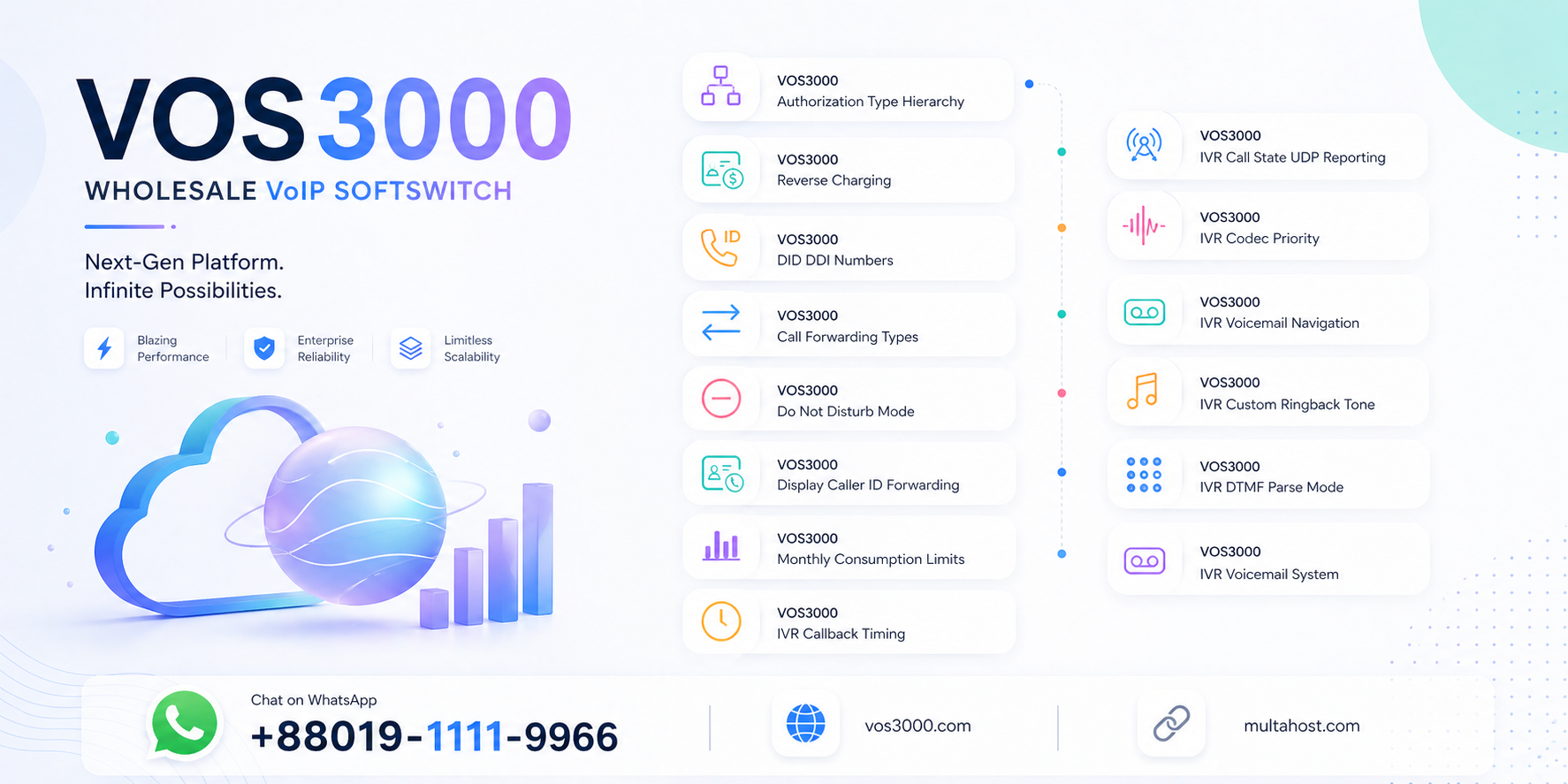
VOS3000 Reverse Charging Configuration: Smart Bill-the-Callee Setup
💰 Have you ever needed to bill the called party instead of the caller in your VOS3000 softswitch? Whether you operate toll-free numbers, collect-call services, or enterprise hotlines where the called party absorbs the cost, the VOS3000 reverse charging configuration is the feature that makes it possible — and it is configured on a per-phone basis with a simple On/Off toggle. 🎯
🔄 According to the official VOS3000 V2.1.9.07 Manual, Section 2.5.2 (Phone Management), reverse charging is defined as follows: “if ‘On’, any call to the number will be charge on this account, instead of the caller.” This means that when reverse charging is enabled for a phone, the billing responsibility shifts entirely — the account associated with the called phone pays for the call, regardless of who initiated it. The caller’s account is not charged at all. 📋
🔧 All data in this guide is sourced exclusively from the official VOS3000 V2.1.9.07 Manual, Section 2.5.2 — no fabricated values, no guesswork. For expert assistance with your VOS3000 deployment, contact us on WhatsApp at +8801911119966. 💡
Table of Contents
🔐 What Is VOS3000 Reverse Charging Configuration?
⏱️ The VOS3000 reverse charging configuration is a per-phone setting that reverses the normal billing direction for incoming calls. In standard VOS3000 billing, the caller’s account is charged for the call. When reverse charging is set to “On” for a specific phone, any call made to that phone is billed to the called phone’s account instead of the caller’s account. 📋
📌 According to the official VOS3000 V2.1.9.07 Manual, Section 2.5.2:
| Attribute | Value |
|---|---|
| 📌 Setting Name | Reverse charging |
| 🔢 Options | On / Off |
| 📝 Manual Description | If “On”, any call to the number will be charge on this account, instead of the caller |
| 📍 Location | Phone Management → Phone settings |
| 🎯 Scope | Per-phone configuration |
💡 Key insight: The VOS3000 manual uses the phrase “any call to the number” — this means reverse charging applies to ALL incoming calls to that phone, regardless of who the caller is. There is no selective reverse charging where only certain callers are billed to the called party; it is an all-or-nothing setting for the phone. 🔒
🎯 Why VOS3000 Reverse Charging Configuration Matters
⚠️ Without proper reverse charging configuration, several business scenarios become impossible or lead to billing disputes:
- 📞 Toll-free services: Companies offering toll-free hotline numbers cannot operate if the caller is charged — the called party must absorb the cost to fulfill the toll-free promise
- 🏢 Enterprise internal calls: When employees call an internal service number, the department operating that service should bear the cost, not the individual employee’s account
- 🛡️ Customer support lines: Businesses that want customers to call without cost barriers need reverse charging so the company pays for the incoming support calls
- 📊 Billing disputes: Without reverse charging, callers may dispute charges for calls they made to toll-free or collect-call numbers, causing customer dissatisfaction and administrative overhead
- 💰 Revenue model alignment: Some VoIP business models require the called party to pay — such as premium rate services or collect-call platforms — which is impossible without reverse charging
⚙️ How Reverse Charging Works in VOS3000
🔄 The billing mechanics of VOS3000 reverse charging configuration are straightforward but have important implications for account balance management and call routing. When reverse charging is enabled, the entire cost of the call is applied to the called phone’s account using the billing rate assigned to that account. 📡
💰 VOS3000 Reverse Charging — Billing Direction Comparison:

┌─────────────────────────────────────────────────────────────────────┐
│  ❌ Reverse Charging = OFF (Normal Billing)                        │
│                                                                     │
│  Caller (Phone A) ──calls──► Called Party (Phone B)                │
│     │                                                               │
│     └── Caller's Account is CHARGED for the call                   │
│         └── Uses Phone A's account billing rate                    │
│         └── Duration × Rate = Charge to Caller                     │
│                                                                     │
├─────────────────────────────────────────────────────────────────────┤
│  ✅ Reverse Charging = ON (Phone B has reverse charging enabled)   │
│                                                                     │
│  Caller (Phone A) ──calls──► Called Party (Phone B)                │
│                             │                                       │
│                             └── Phone B's Account is CHARGED       │
│                                 └── Uses Phone B's account rate    │
│                                 └── Duration × Rate = Charge to B  │
│                                                                     │
│  Caller's Account: $0.00 (NOT charged)                             │
│  Called Party's Account: Charged for full call duration             │
└─────────────────────────────────────────────────────────────────────┘
📊 Important implication: When reverse charging is enabled on Phone B, Phone B’s account must have sufficient balance to cover the incoming call. If Phone B’s account runs out of balance during the call, the call may be terminated — even though Phone B did not initiate it. This is particularly critical for prepaid accounts with overdraft prevention enabled, as the system will enforce balance limits on the called party’s account. For help with reverse charging and prepaid accounts, reach us on WhatsApp at +8801911119966. 📱
📋 Per-Phone Reverse Charging Configuration
🔑 The VOS3000 reverse charging configuration is set individually for each phone in the Phone Management section. This allows granular control — some phones can have reverse charging enabled (e.g., toll-free service numbers) while most phones retain normal caller-pays billing. 🛠️
📌 According to the VOS3000 Phone Management documentation:
| Setting | Location | Description |
|---|---|---|
| Reverse charging | Phone Management → Phone settings | If “On”, any call to the number will be charge on this account, instead of the caller |
| Account ID | Phone Management → Account assignment | The account that will be charged when reverse charging is On; rate of this account is used for billing |
| Billing rate | Account Management → Rate assignment | Rate used to calculate call charges for reverse-charged calls to this phone |
💡 Configuration steps: (1) Log in to VOS3000 Client, (2) Navigate to Phone Management, (3) Select the phone that will receive reverse-charged calls, (4) Set Reverse charging to “On”, (5) Ensure the phone’s account has the correct billing rate assigned, (6) Save and apply changes. For detailed guidance on billing rates, see our VOS3000 account billing guide. 📖
📊 VOS3000 Reverse Charging — Use Case Scenarios
🏢 Different VoIP business scenarios benefit from reverse charging. Here are the most common deployment patterns: 💡
| Use Case | Reverse Charging | Rationale |
|---|---|---|
| 📞 Toll-free hotline (1-800 style) | ✅ On | Caller must not be charged; the company operating the hotline pays for all incoming calls |
| 🏢 Internal service desk | ✅ On | IT/HR service desk calls should be billed to the service department, not individual employees |
| 🛡️ Customer support line | ✅ On | Customers should never pay to reach support; the business absorbs the call cost as part of service |
| 📞 Collect-call platform | ✅ On | Called party agrees to pay for the call; reverse charging enforces this at the billing level |
| 🏠 Standard employee phone | ❌ Off | Normal billing applies — caller pays for outbound calls, receives inbound calls at no charge |
| 📡 Premium rate service | ❌ Off (different model) | Premium rate uses special billing rates charged to the caller, not reverse charging to the called party |
🎯 Key distinction: Reverse charging is NOT the same as premium rate billing. Reverse charging bills the called party’s account at the called party’s rate. Premium rate billing charges the caller at a special high rate. These are fundamentally different revenue models. For more on billing models, see our VOS3000 billing system guide. 📖
🔗 Reverse Charging and Account Balance Management
📋 When VOS3000 reverse charging configuration is enabled, the called party’s account is billed for the full call duration. This creates unique considerations for account balance management, especially with prepaid accounts. 🛠️
| Scenario | Billing Behavior | Risk |
|---|---|---|
| Postpaid account with reverse charging | Call charges accumulate; billed at end of billing cycle | 🟢 Low — no real-time balance check needed |
| Prepaid account with sufficient balance | Call charges deducted in real-time from called party’s balance | 🟡 Medium — balance must be monitored |
| Prepaid account with low balance | Call may be cut short when called party’s balance runs out during the call | 🔴 High — call termination risk |
| Prepaid account with zero balance | Incoming call may be rejected entirely if called party has no balance | 🔴 Critical — toll-free number becomes unreachable |
📍 Critical warning: If you enable reverse charging on a phone associated with a prepaid account, ensure the account always has sufficient balance to cover incoming calls. A toll-free number that cannot receive calls because the called party’s account is empty defeats the purpose of the service. Consider using postpaid accounts for reverse-charged phones, or set up automatic recharge mechanisms. For help with account management, see our VOS3000 billing FAQ. 📖
🛡️ Common Reverse Charging Problems and Solutions
⚠️ Misconfigured reverse charging settings can cause several issues. Here are the most common problems and their solutions:
❌ Problem 1: Toll-Free Number Rejecting Incoming Calls
🔍 Symptom: A phone with reverse charging enabled is rejecting incoming calls. Callers hear a fast busy tone or rejection signal.
💡 Cause: The phone’s associated account has insufficient balance (prepaid) and cannot cover the cost of incoming calls under reverse charging. The softswitch rejects the call because the called party cannot pay.
✅ Solutions:
- 💰 Ensure the phone’s account has sufficient balance at all times
- 🔄 Set up automatic recharge for the account associated with the reverse-charged phone
- 📋 Consider switching the account from prepaid to postpaid to eliminate real-time balance check
❌ Problem 2: Caller Still Being Charged Despite Reverse Charging
🔍 Symptom: Reverse charging is supposedly enabled on Phone B, but the caller’s account (Phone A) is still being charged for the call.
💡 Cause: The reverse charging setting may not have been properly saved or applied. In some cases, a softswitch restart or configuration reload may be required for the change to take effect.
✅ Solutions:
- 📋 Verify the reverse charging checkbox is set to “On” in Phone Management
- 💾 Save and apply the changes, then verify the setting persists after a page refresh
- 🔍 Check CDR records to confirm which account is being billed for calls to that number
❌ Problem 3: Unexpected High Charges on Called Party Account
🔍 Symptom: The account associated with a reverse-charged phone shows unexpectedly high charges from incoming calls, depleting the balance rapidly.
💡 Cause: The phone is receiving a high volume of calls (e.g., a popular toll-free number), and each call’s full duration is being charged to the called party’s account at the assigned billing rate.
✅ Solutions:
- 📊 Review the billing rate assigned to the called party’s account — ensure it is appropriate for reverse-charged calls
- 📞 Configure call in limitation on the phone to cap the maximum number of simultaneous incoming calls
- 💰 Set up monthly consumption limits on the account to prevent runaway costs; see our monthly consumption limits guide
📊 VOS3000 Reverse Charging Configuration Checklist
✅ Use this checklist when deploying reverse charging in your VOS3000 system:
| Check | Action | Status |
|---|---|---|
| 📌 1 | Identify phones that require reverse charging (toll-free, service desks, collect-call numbers) | ☐ |
| 📌 2 | Set Reverse charging to “On” for each identified phone in Phone Management | ☐ |
| 📌 3 | Verify the phone’s account has the correct billing rate for reverse-charged calls | ☐ |
| 📌 4 | Ensure the called party’s account has sufficient balance (prepaid) or is postpaid | ☐ |
| 📌 5 | Test by making a call to the reverse-charged number and verify billing in CDR | ☐ |
| 📌 6 | Set up monitoring for the called party’s account balance to prevent service disruption | ☐ |
| 📌 7 | Document reverse charging assignments for audit and compliance purposes | ☐ |
📞 For expert guidance on VOS3000 reverse charging and billing configuration, reach us on WhatsApp at +8801911119966. 💡
❓ Frequently Asked Questions
❓ What is VOS3000 reverse charging configuration?
💰 The VOS3000 reverse charging configuration is a per-phone setting that reverses the normal billing direction for incoming calls. According to the VOS3000 V2.1.9.07 Manual (Section 2.5.2), when reverse charging is set to “On” for a phone, “any call to the number will be charge on this account, instead of the caller.” This means the called party’s account pays for the entire call, and the caller is not charged. It is commonly used for toll-free numbers, customer support lines, and collect-call services. 📋
❓ Does reverse charging apply to all incoming calls?
📞 Yes. The VOS3000 manual states that when reverse charging is On, “any call to the number” will be charged to the called party’s account. The word “any” means all incoming calls to that phone are reverse-charged — there is no option to selectively reverse-charge only certain callers. If you need caller-specific billing treatment, you would need to use a different mechanism such as account-based rate assignment rather than per-phone reverse charging. 🔧
❓ What happens if the called party’s account runs out of balance during a reverse-charged call?
⚠️ If the called party’s account is prepaid and runs out of balance during a reverse-charged call, the call may be terminated by the softswitch. This is because VOS3000 enforces real-time balance checking on prepaid accounts, even when the account is being charged for an incoming call. To prevent this, ensure that reverse-charged phones are associated with accounts that have sufficient balance or are on postpaid billing. For toll-free services, consider setting up automatic recharge or using a postpaid account. 🛡️
❓ How do I enable reverse charging in VOS3000?
⚙️ To enable reverse charging: (1) Log in to VOS3000 Client with operator credentials, (2) Navigate to Phone Management, (3) Select the phone that will receive reverse-charged calls, (4) Set the “Reverse charging” option to “On”, (5) Verify the phone’s account ID and billing rate are correctly configured, (6) Save and apply the changes. After saving, test by making a call to the phone and checking the CDR to confirm the called party’s account is being charged instead of the caller’s. 📋
❓ Is reverse charging the same as toll-free billing?
🔄 Reverse charging is the VOS3000 mechanism that enables toll-free billing, but they are not identical concepts. Reverse charging is the technical configuration (On/Off per phone) that shifts billing responsibility to the called party. Toll-free billing is the business model where the called party absorbs the cost so callers are not charged. In VOS3000, you implement toll-free billing by enabling reverse charging on the toll-free phone number. However, reverse charging can also be used for non-toll-free scenarios like internal service desks where a department pays for calls to its number. 💡
❓ Can I use reverse charging with a prepaid account?
💰 Yes, you can enable VOS3000 reverse charging configuration on a phone associated with a prepaid account, but it requires careful balance management. Since the called party’s account is charged in real-time during the call, the prepaid account must always have sufficient balance to cover incoming calls. If the balance runs out, incoming calls may be rejected or cut short — which is unacceptable for toll-free or service numbers. Best practice is to either use a postpaid account for reverse-charged phones, or implement automatic recharge to maintain a minimum balance threshold. For more on balance management, see our billing overdraft prevention guide. 📖
📞 Need Professional VOS3000 Setup Support?
For professional VOS3000 installations and deployment, VOS3000 Server Rental Solution:
📱 WhatsApp: +8801911119966
🌐 Website: www.vos3000.com
🌐 Blog: multahost.com/blog
📥 Downloads: VOS3000 Downloads
 | | |


